How to work with several video advertisers
Keep campaign terms, banners, projects and payment records separate so each placement can be checked.
By the getcliper editorial team · Updated:
Save the terms for each campaign
For every advertiser, record the topic, platform, rate, publication deadline and reporting process. Store the current banner with its size and duration requirements. Before starting a batch, you should be able to identify the exact settings it needs.
Ask whether another brand may appear in the same video and whether similar material can be used across campaigns. Two offers being visible in a catalogue does not mean they are compatible. Agree on a test example when the requirements are unclear.
Name projects so you can distinguish them
Use the advertiser, topic and batch date in the project name. Keep finished versions separate from drafts. Names such as “final” and “final2” quickly become difficult to interpret when several campaigns and revisions are running at the same time.
If one source supplies clips for different campaigns, create clearly distinguishable versions. Associate each with its own banner and terms. Before submission, it should be obvious which file belongs to which advertiser and publishing platform.
Inspect the template before a new batch
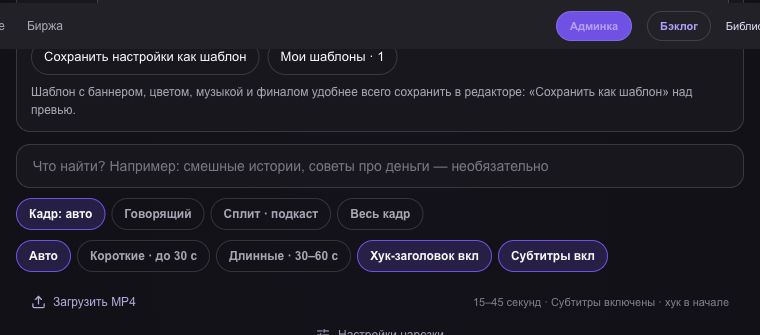
In getcliper, choose the styling for the relevant campaign and inspect the banner, text position and display intervals. A saved template repeats settings; check that the intended one is active after switching projects or advertisers.
Watch every export for the correct logo, visible area and any captions covering the ad. Then review the content itself. A shared visual style does not make different episodes equally understandable, and it does not prove they meet the campaign’s topic requirements.
Keep a record of placements
For each publication, save its URL, date, review status, accepted views and payout. Separate the estimate, confirmed amount and money actually received. Campaigns may use different counting periods and different deadlines for submitting statistics.
When a revision is requested, save the reason and ask whether you need a new publication link. Review other files using the same template. Reducing repeated mistakes makes it easier to handle more campaigns and assess the time each advertiser requires.
Try the workflow on one clip
Explore the sample editor first. Check the plan for your own source and current campaign terms before advertising.
Try getcliper — Russian interface