How to get an advertiser’s banner and add it to a video
Get the approved banner, check its placement rules and inspect the exported video before publishing.
By the getcliper editorial team · Updated:
Get the banner from the advertiser
Open the campaign brief or your conversation with its representative. Find the approved file and placement requirements. A banner copied from another person’s video may be outdated or belong to a different campaign with different rules.
Before editing, check the platform, allowed topics, banner position and display duration. If the brief specifies an area percentage, ask how it is measured. Request an approved example when the wording is ambiguous, and save the requirements alongside the file.
Check what the viewer will actually see
View the banner at normal phone size. Make sure the text, logo and required elements remain legible. Do not change the message or crop the design without approval. A banner that looks large in an editor can still be unreadable in the published video.
Transparent margins count towards file dimensions but may not count as visible advertising. Layer scale and the visible share of the frame are therefore different measurements. Compare the final picture with the campaign’s stated rule or approved example.
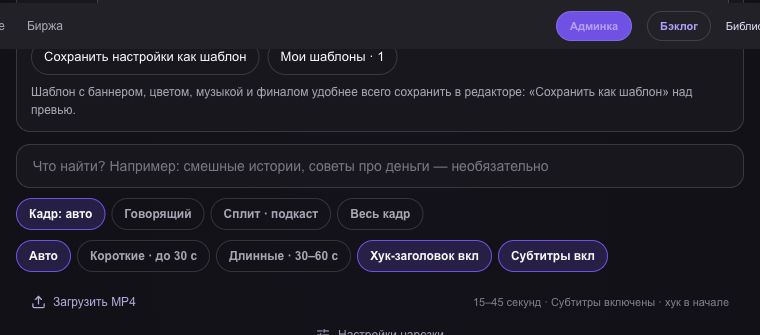
Add the banner and set its interval
In the getcliper editor, choose the advertising layout and adjust the banner size and position. Set the display interval within the clip’s duration. It must match the campaign requirements rather than an arbitrary convenient position on the timeline.
Inspect the start and end of the interval. Check for captions, titles or another layer covering the ad. Repeat the check after trimming or reframing. Save approved styling as a template for similar clips, while checking each new episode separately.
Watch the actual file you will publish
Download the MP4 and watch it completely with sound. Check that the banner appears at the right moment, lasts long enough and remains readable. Correct settings in the editor do not replace inspection of the exported file.
After publishing, check the direct link and required description. Save the date, export and link with the campaign. If the advertiser requests changes, record the specific reason and inspect other clips using that template. A banner does not replace other required advertising disclosures.
Try the workflow on one clip
Explore the sample editor first. Check the plan for your own source and current campaign terms before advertising.
Try getcliper — Russian interface