How to find advertisers for Reels
Match brands to your audience and agree on the placement, file reuse and review process before editing.
By the getcliper editorial team · Updated:
Choose brands that fit the audience
Describe who watches your Reels: language, geography, interests and typical topics. Select representative posts showing the normal channel format. This helps a brand judge whether its product is relevant to the audience and the proposed placement.
Look at companies working with similar creators, specialist communities and advertising catalogues. Meta offers creator-brand collaboration tools, but check availability in your account. Also establish whether the placement is permitted in your country and circumstances before accepting the work.
Search manually or browse a collected catalogue
You can find advertisers in Telegram clipping chats, creator communities and channels that publish advertising tasks. You can also contact brands already advertising with similar creators. You will need to collect the offers, compare rates and check whether each set of terms is still current.
For offers in one place, register with getcliper. As of 26 October 2026, the catalogue contains 25 published offers, including getcliper’s own tasks. After registration, you can compare visible rates, topics and platforms. Full details, materials and links to third-party offer bots require a paid plan; the number of unlocked offers depends on the plan. getcliper’s own offers are available for free. The service interface is currently in Russian.
For a third-party offer, use the Details button to visit its source and check current requirements, acceptance rules and payout terms before making the video. A catalogue listing does not guarantee payment: your submission must meet the individual task’s conditions.
Show how the advertising fits the video
Name the product and proposed format: a demonstration, short story, explanation or banner. Include a relevant sample and explain the deliverable. The brand should be able to picture the actual placement rather than infer it from your editing tool list.
Agree on the goal. Awareness, visits and delivery of a finished video need different acceptance criteria. A banner needs a framing example, while a scripted mention needs a clear place within the story. Avoid promising a fixed reach without evidence.
Agree on reuse of the finished file
Publication on your profile and transfer of a video for the brand’s other advertising are separate agreements. Clarify duration, platforms, versions, revisions and who may reuse the file. Sending an MP4 does not establish all future usage rights.
Check music and source permissions for the specific commercial placement. Keep the conversation and approved design with the project. This is particularly useful when the same clip is requested in a different format or reused after the original campaign ends.
Prepare and inspect a test integration
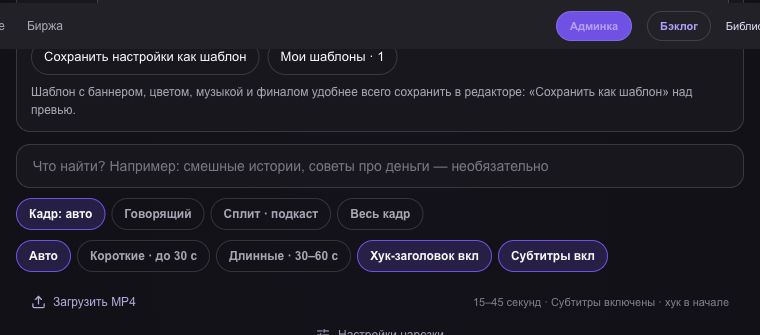
In getcliper, select the story and adjust framing, captions and the ad. Download the clip and watch on a phone. Check that Reels controls and the description do not cover important text or the banner.
Before publication, review applicable disclosure rules and campaign terms. Save the URL, date, statistics and brand feedback after posting. If the test is unsuitable, identify whether to change the story, presentation or audience choice, then use that specific feedback for the next version.
Find an advertising offer in getcliper
Register to compare catalogue rates. getcliper’s own offers are free; third-party details and links unlock within your paid plan’s offer allowance. The service interface is in Russian.
Browse offersTry getcliper →