How to find advertisers for YouTube Shorts
Choose a suitable campaign, verify the viewer’s next step and check the placement before submission.
By the getcliper editorial team · Updated:
Find a campaign that accepts Shorts
Prepare your channel topic, language and audience details. Look at the getcliper catalogue, creator communities and brands working with similar videos. When contacting a brand directly, show a few relevant Shorts rather than an unrelated collection of uploads.
Clarify the integration format: a banner, mention or a dedicated scene. Direct advertising and YouTube’s own payments are different sources of income. The proposal should identify the result the advertiser is paying for and how that result will be reviewed.
Search manually or browse a collected catalogue
You can find advertisers in Telegram clipping chats, creator communities and channels that publish advertising tasks. You can also contact brands already advertising with similar creators. You will need to collect the offers, compare rates and check whether each set of terms is still current.
For offers in one place, register with getcliper. As of 26 October 2026, the catalogue contains 25 published offers, including getcliper’s own tasks. After registration, you can compare visible rates, topics and platforms. Full details, materials and links to third-party offer bots require a paid plan; the number of unlocked offers depends on the plan. getcliper’s own offers are available for free. The service interface is currently in Russian.
For a third-party offer, use the Details button to visit its source and check current requirements, acceptance rules and payout terms before making the video. A catalogue listing does not guarantee payment: your submission must meet the individual task’s conditions.
Check where a viewer can actually go
YouTube states that ordinary URLs in Shorts descriptions and comments are not clickable. If the campaign needs visits or registrations, agree on a working route before editing. Do not promise traffic through a link that only appears as text.
Test the journey on a phone: where the call to action appears, what the viewer taps and what opens. For a view-based campaign, establish the eligible view definition and the date on which statistics will be recorded.
Agree on styling and prepare the clip
Save the banner size, position, display duration, allowed source material and music requirements. Review YouTube’s paid-promotion rules. Ask for an approved example when the brief leaves room for different interpretations, rather than guessing and repeating the same mistake.
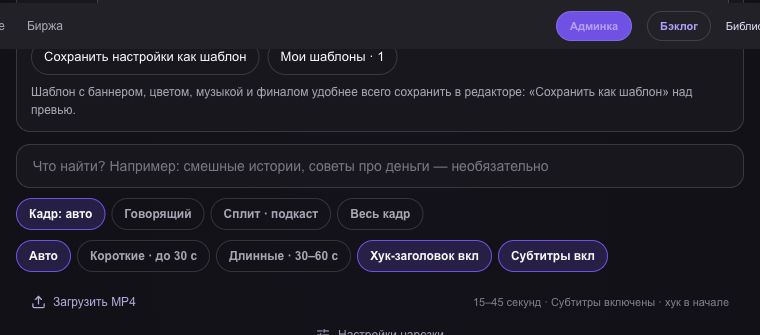
In getcliper, select a complete story from permitted material. Inspect its opening, ending, captions and crop. Add the banner, set the interval and watch the full export. Keep important visual details visible next to the advertising.
Save the publication and review evidence
After uploading, open the direct Shorts link as an ordinary viewer. Check that the text and banner are legible alongside platform controls. Save the URL, date, final file and the version of the terms you followed.
Submit the result on time. Accepted views may differ from the public count. If rejected, identify whether the problem is topic, audience, banner or submission procedure. Use the reason to revise the next export and assess whether the campaign fits your channel.
Find an advertising offer in getcliper
Register to compare catalogue rates. getcliper’s own offers are free; third-party details and links unlock within your paid plan’s offer allowance. The service interface is in Russian.
Browse offersTry getcliper →